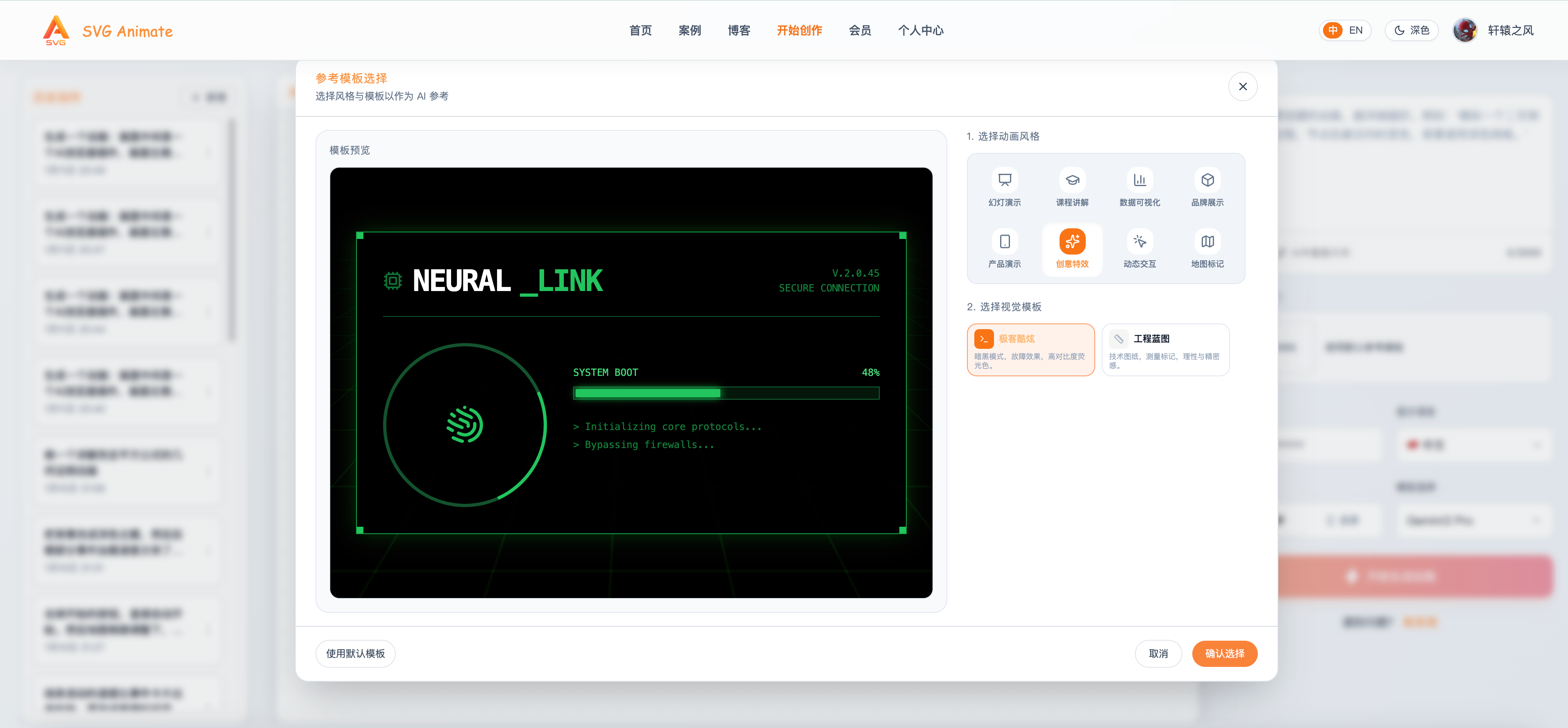
Reference Style Templates Are Live: Help AI Match Your Animation Taste

Hi everyone, I’m Xuanyuan, the creator of SvgAnimate.
When making animations, we often hit the same problem: the idea is clear, but it’s hard to describe “style” precisely to AI.
That usually leads to two outcomes: the result looks too generic, or it drifts away from what you had in mind.
To solve this, we shipped Reference Style Templates. When you create an animation, pick a style template first and let AI generate within that visual direction. You don’t need to write a long “style description,” and AI can understand your aesthetic faster.
Why Reference Style Templates?
1) Style is the hardest part to describe
Style includes color palettes, materials, motion rhythm, lighting, and line texture. Even with a detailed prompt, AI can still miss the mark.
2) Templates create shared context
Choosing a template tells AI: generate within this style range.
That’s more explicit and stable than only a text prompt.
3) Fewer retries
Before, you might need multiple attempts to approach the target style. Now, selecting the right template can boost your first-try success rate.
How to use Reference Style Templates
The workflow is simple (3 steps):
Step 1: Open the creation page
Go to the creation page and enter your animation idea.
Step 2: Choose a Reference Style Template
A new configuration panel appears under “Reference Style”:
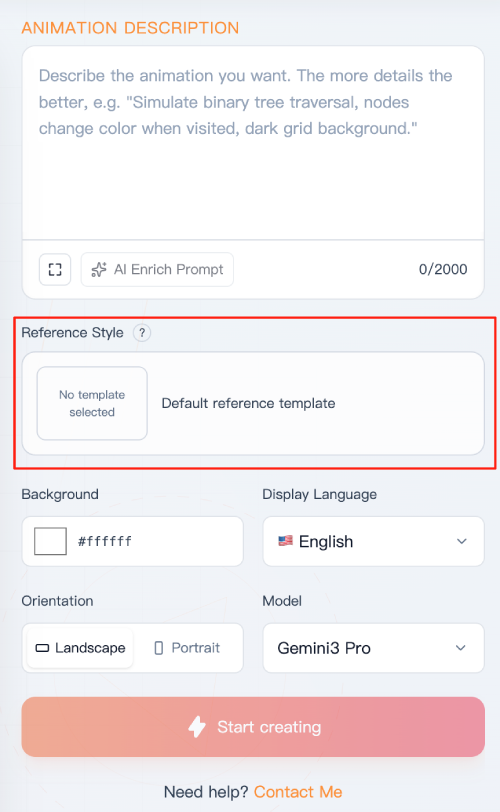
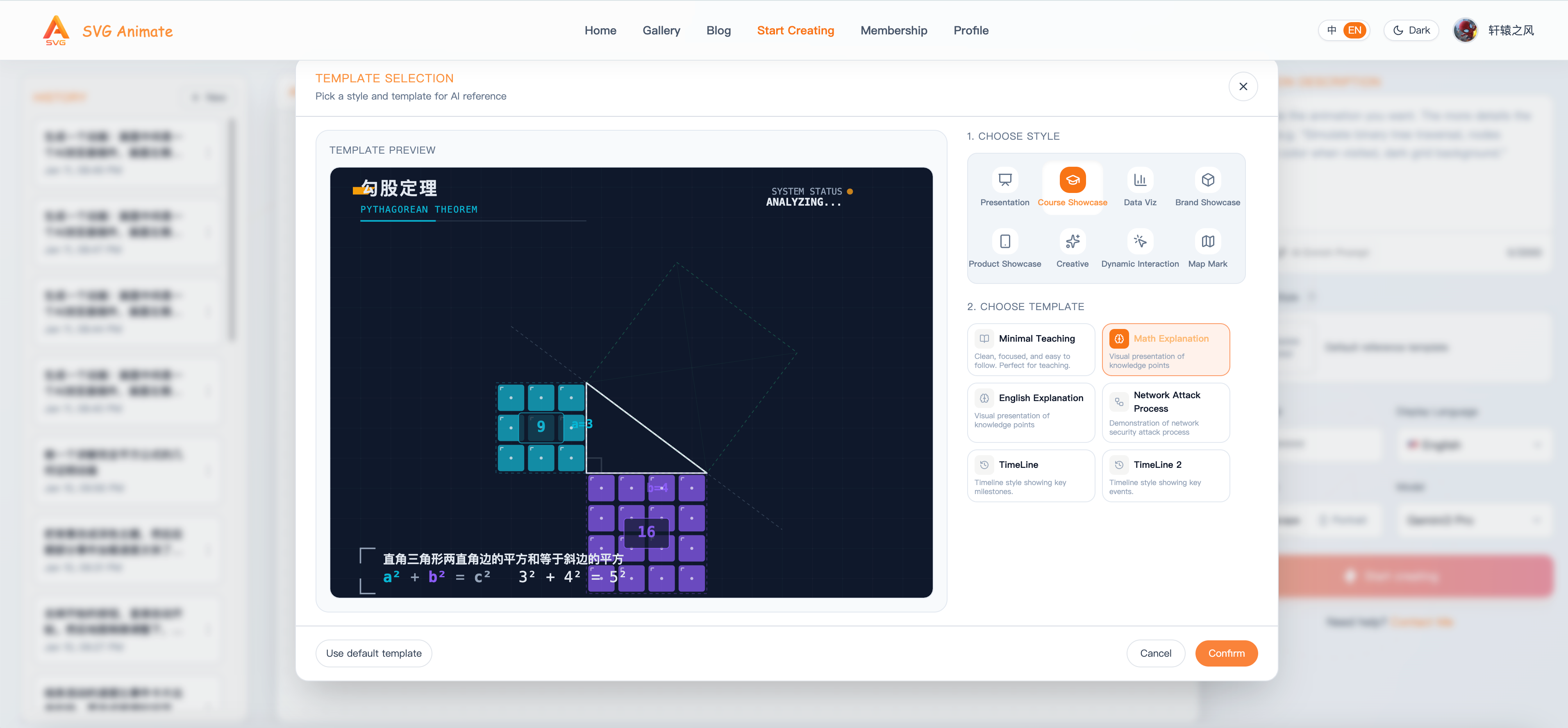
Click anywhere on the panel to open a window showing the eight built-in styles and dozens of examples.
Currently we support Presentation, Course Showcase, Data Viz, Brand Showcase, Product Showcase, Creative, Dynamic Interaction, and Map Mark. We’ll keep expanding and refining these templates to help you create even more polished animations.
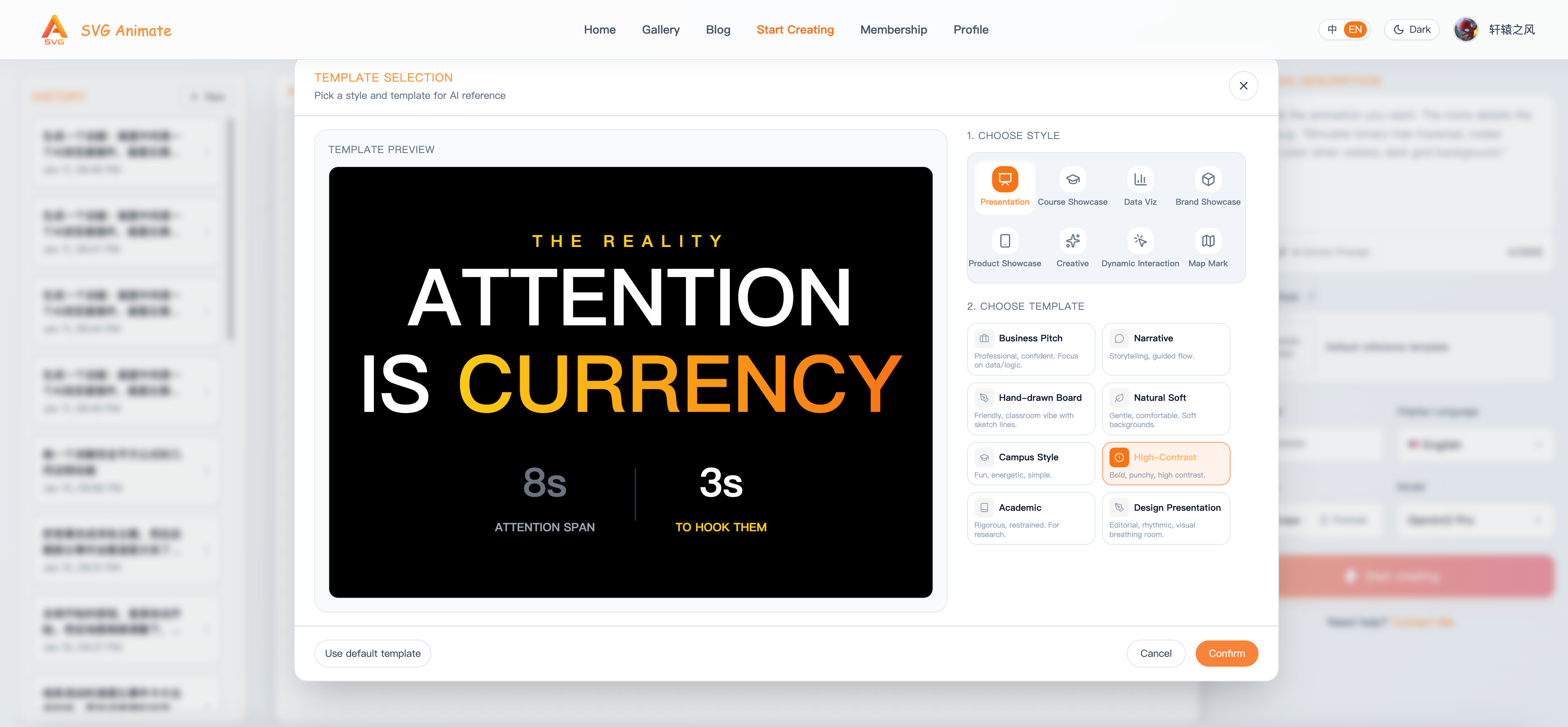
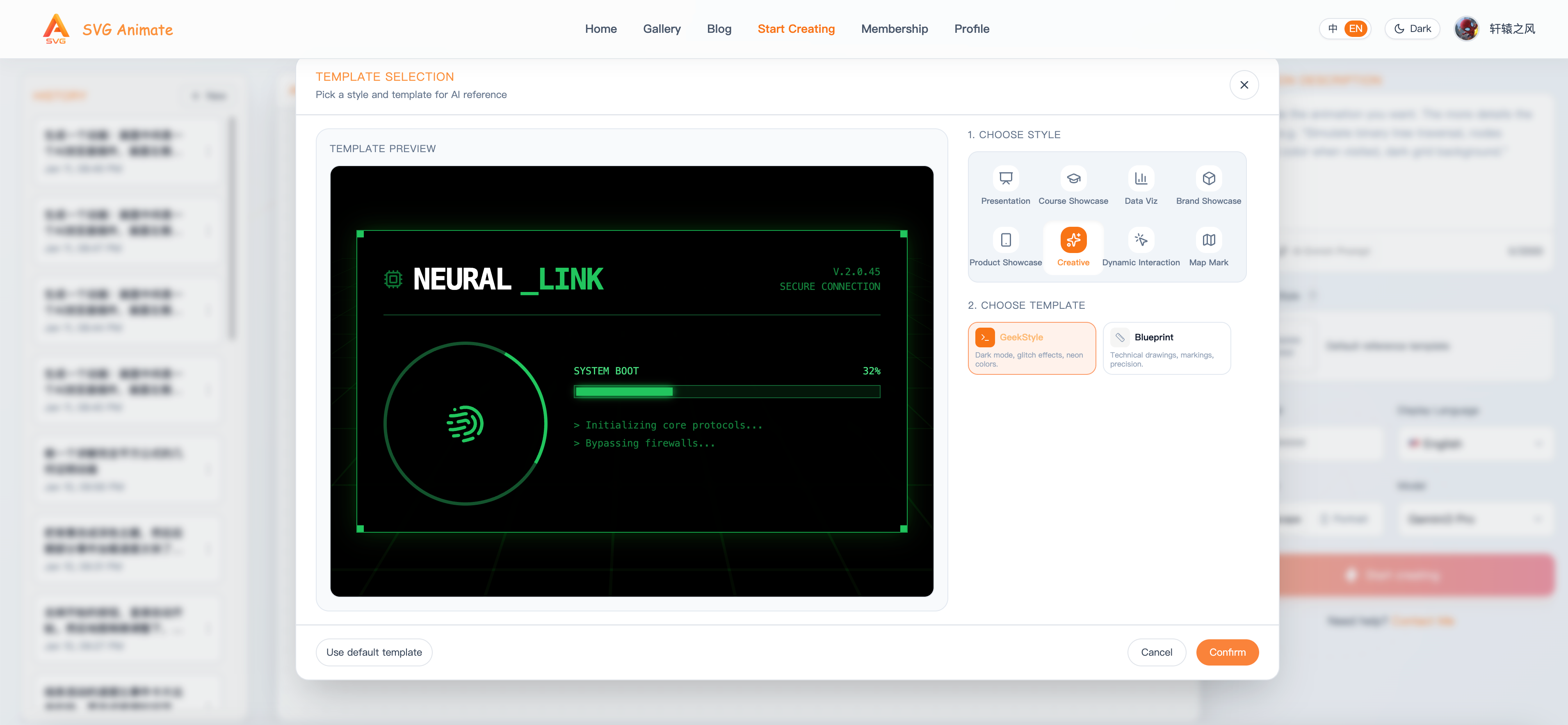
Pick the template that best matches your target style. Click “Confirm Selection” in the lower-right corner. The pop-up closes, and the chosen template appears in the panel.
Step 3: Generate Your Animations
Click Create. AI will prioritize the selected template’s style and produce results closer to your expectations.
Example
For instance, choose Math Explanation under Course Showcase:
Then ask for an animation that explains the complete square formula in that style:
The generated animation stays consistent with the chosen template style.
Summary
Reference Style Templates have a simple goal:
make “style intent” selectable, reusable, and controllable.
If you often struggle with style mismatches, give this feature a try.
Pick a template and let AI align with your aesthetic faster.
Feel free to send us your favorite styles and examples — we’ll keep growing the template library.
SvgAnimate
SvgAnimate Contributor