AI Prompt Enrichment Is Live: Turn One Sentence Into a Detailed Animation Description
Hi everyone, I'm Xuanyuan, the creator of SvgAnimate.
If you've used an SVG Animation Generator, you’ve probably noticed:
Why do other people’s animations look so good while mine always feel a bit off?
A big part of that comes down to the prompt you give the AI. If you only write something like “make an animation,” the AI has no idea what style, colors, rhythm, or details you want.
To solve this, we’ve launched a brand‑new feature: AI Prompt Enrichment.
It expands your prompt without changing your original intent, adding details to create a clearer and more professional animation description.
Why AI Prompt Enrichment?
- Help everyone write higher‑quality prompts
- Reduce back‑and‑forth trial and error
- Make the SVG Animation Generator output more stable and closer to what you want
A single sentence is too vague? AI will help you add:
- Subject and visual hierarchy
- Colors, materials, and lighting
- Motion rhythm and timing
- Transitions and camera feel
How to Use AI Prompt Enrichment
Step 1: Open the creation page
Go to the create page and type your idea into the prompt box.
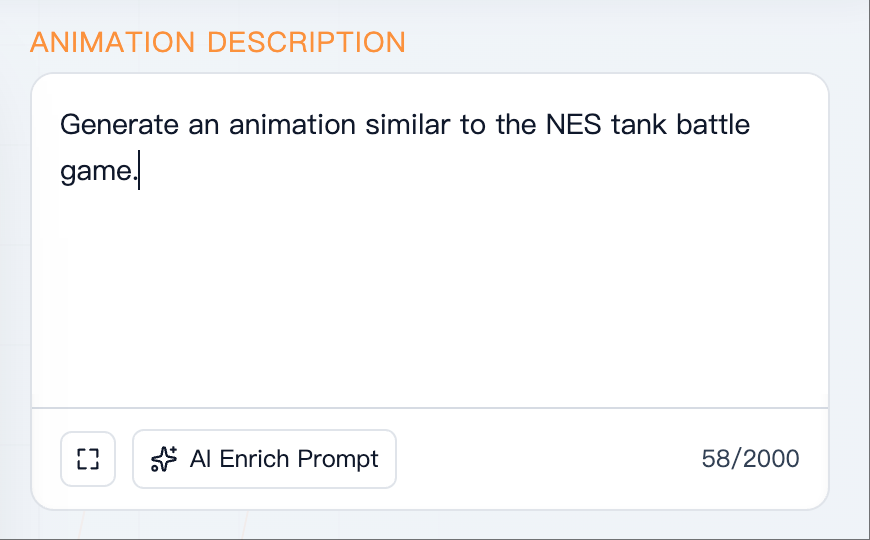
Step 2: Click “AI Prompt Enrichment”
Click “AI Prompt Enrichment” below the prompt input, and a pop-up window will appear.
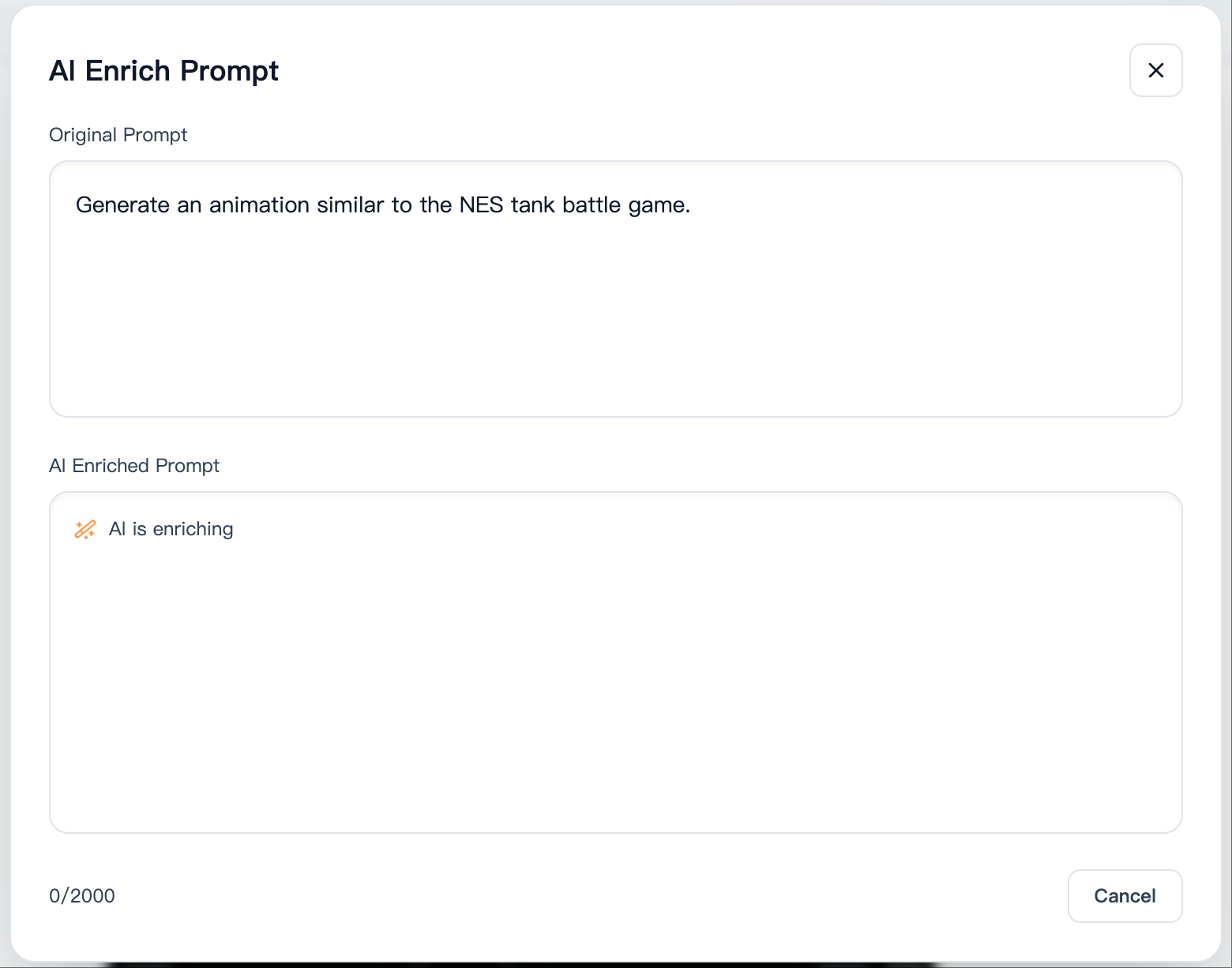
Step 3: Review the AI result
The pop‑up shows your original prompt and the AI‑expanded version. If something doesn’t match your intent, you can edit it further.
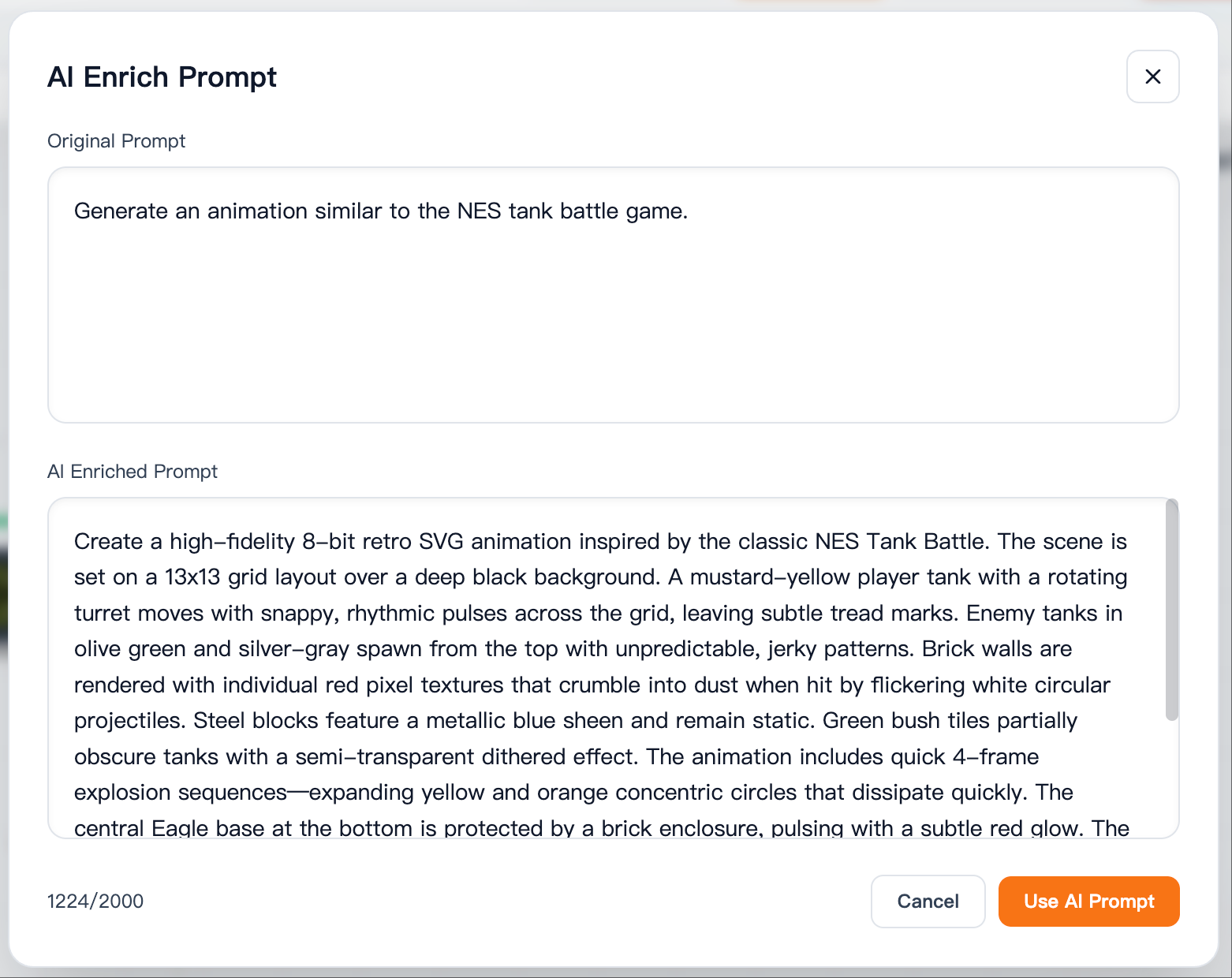
Step 4: Use the AI prompt with one click
When you’re satisfied, click “Use AI Prompt” to replace the prompt in the input box.
Who is this for?
- First‑time SVG Animation Generator users
- Creators who want more detail and polish
- Product/marketing teams who need multiple animation ideas quickly
As long as you have a vague idea, AI can turn it into a high‑quality prompt that’s ready to generate an animation.
Prompt Example
Using the prompt above as an example, the original input is:
Make a Tank Battle game animation
The animation generated from this prompt looks like this:
It’s messy and not great, right? Now let’s try AI Prompt Enrichment:
AI‑enriched prompt:
Create a high-fidelity 8-bit retro SVG animation inspired by the classic NES Tank Battle. The scene is set on a 13x13 grid layout over a deep black background. A mustard-yellow player tank with a rotating turret moves with snappy, rhythmic pulses across the grid, leaving subtle tread marks. Enemy tanks in olive green and silver-gray spawn from the top with unpredictable, jerky patterns. Brick walls are rendered with individual red pixel textures that crumble into dust when hit by flickering white circular projectiles. Steel blocks feature a metallic blue sheen and remain static. Green bush tiles partially obscure tanks with a semi-transparent dithered effect. The animation includes quick 4-frame explosion sequences—expanding yellow and orange concentric circles that dissipate quickly. The central Eagle base at the bottom is protected by a brick enclosure, pulsing with a subtle red glow. The camera uses a fixed top-down perspective with subtle screen shakes during large explosions. The timing follows a fast-paced retro beat, with bullets traveling at high velocity and tanks rotating 90 degrees instantly. High-contrast colors, glowing projectile trails, and a pixel-perfect aesthetic define the visual style.
Here is the animation generated from the new prompt:
See? Much better. There are still details to refine, but it’s a big improvement.
Try AI Prompt Enrichment Now
If you often struggle to write complete descriptions or feel that the animations aren’t quite right, this update is made for you.
Open SvgAnimate and try AI Prompt Enrichment.
SvgAnimate
SvgAnimate Contributor